Hotel-wide Crestron control
100+ rooms on one system
50 roaming NVX units, room-level controls and lobby zones.

For integrators & AV/IT teams
I’m Aaron. I’ve programmed Crestron systems for over 13 years and come from live production. I work with integrators on Q-SYS, touchpanel redesigns and software that connects room equipment to business systems.
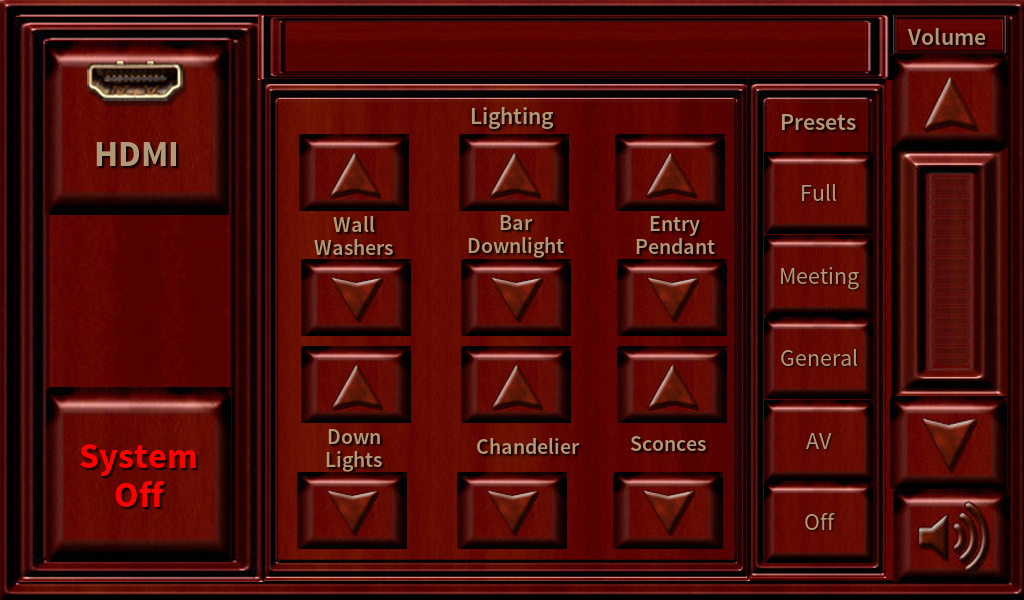 Open full panel
Lighting, HDMI, volume and system power shared the main menu. Rendered from the original panel artwork.
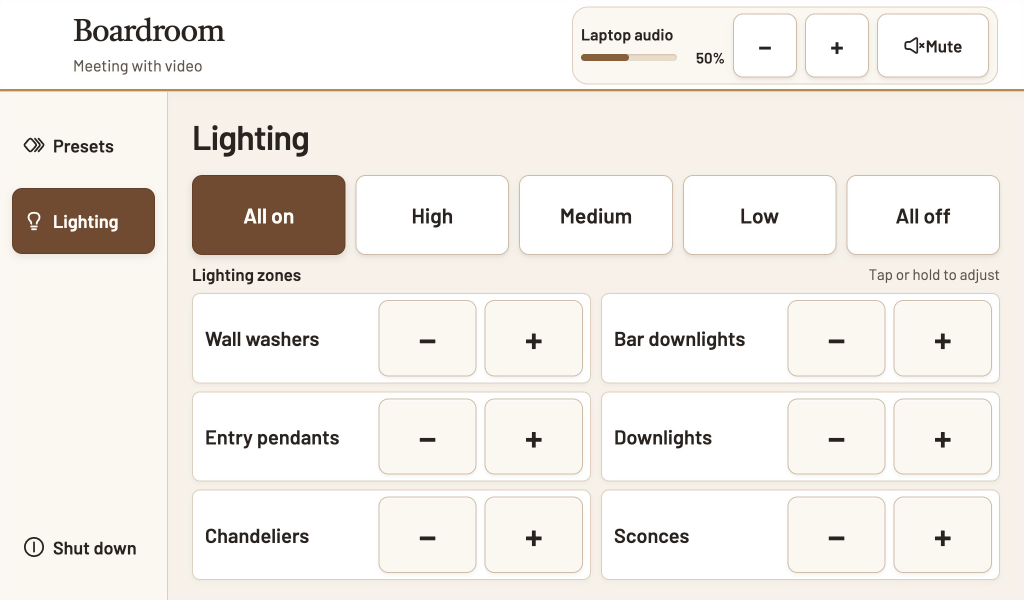 Open full panel
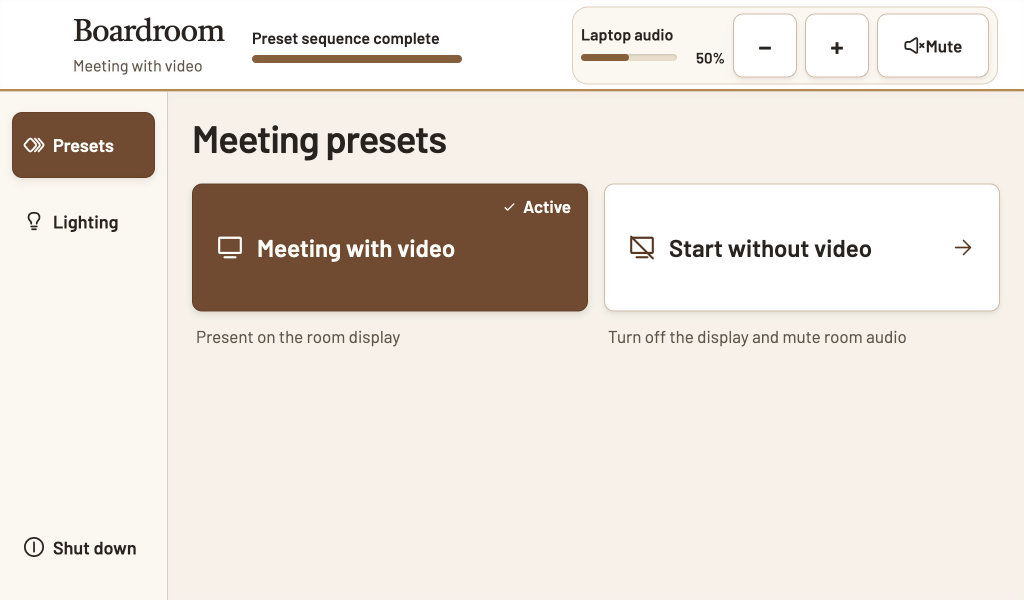 Open full panel
The operator selected “All on” during a video presentation. Laptop audio is at 50%. Shown with simulated room feedback.
“Meeting with video” is active. The operator can adjust or mute laptop audio from the same screen. Shown with simulated room feedback.
Hotel-wide Crestron control
50 roaming NVX units, room-level controls and lobby zones.
House of worship
Crestron cues for lighting, video and streaming.
Custom software
Interactive demo
Hospitality · Crestron programming
I was the sole Crestron programmer for a new hotel. Staff moved 50 NVX units between more than 100 rooms. From a master panel they could see what was happening in any room, control it and run the lobby zones.
Hospitality · Custom software
At another property, I wrote a Windows app that collected preset and lighting changes from Crestron. The site team received the event log in Gmail.
Subject Room log update
09:14 | Meeting room panel | Preset changedHouse of worship
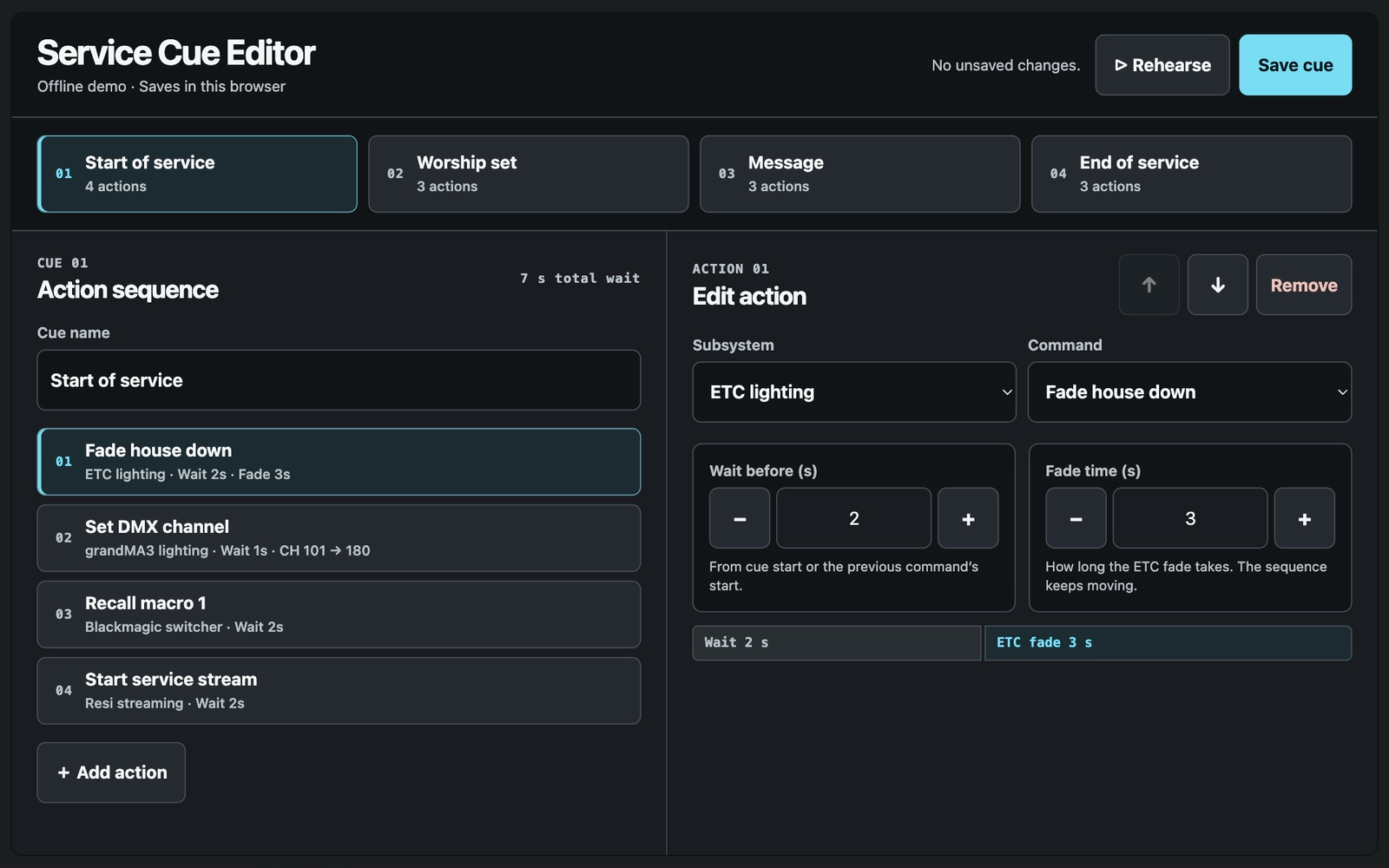
I wrote the Crestron cues that let one operator run ETC and grandMA3 lighting, Blackmagic video and Resi streaming from a single panel.
Example touchpanel layouts for an opening cue
The operator has started the service cue. The house lights are fading, and the panel shows what runs next.
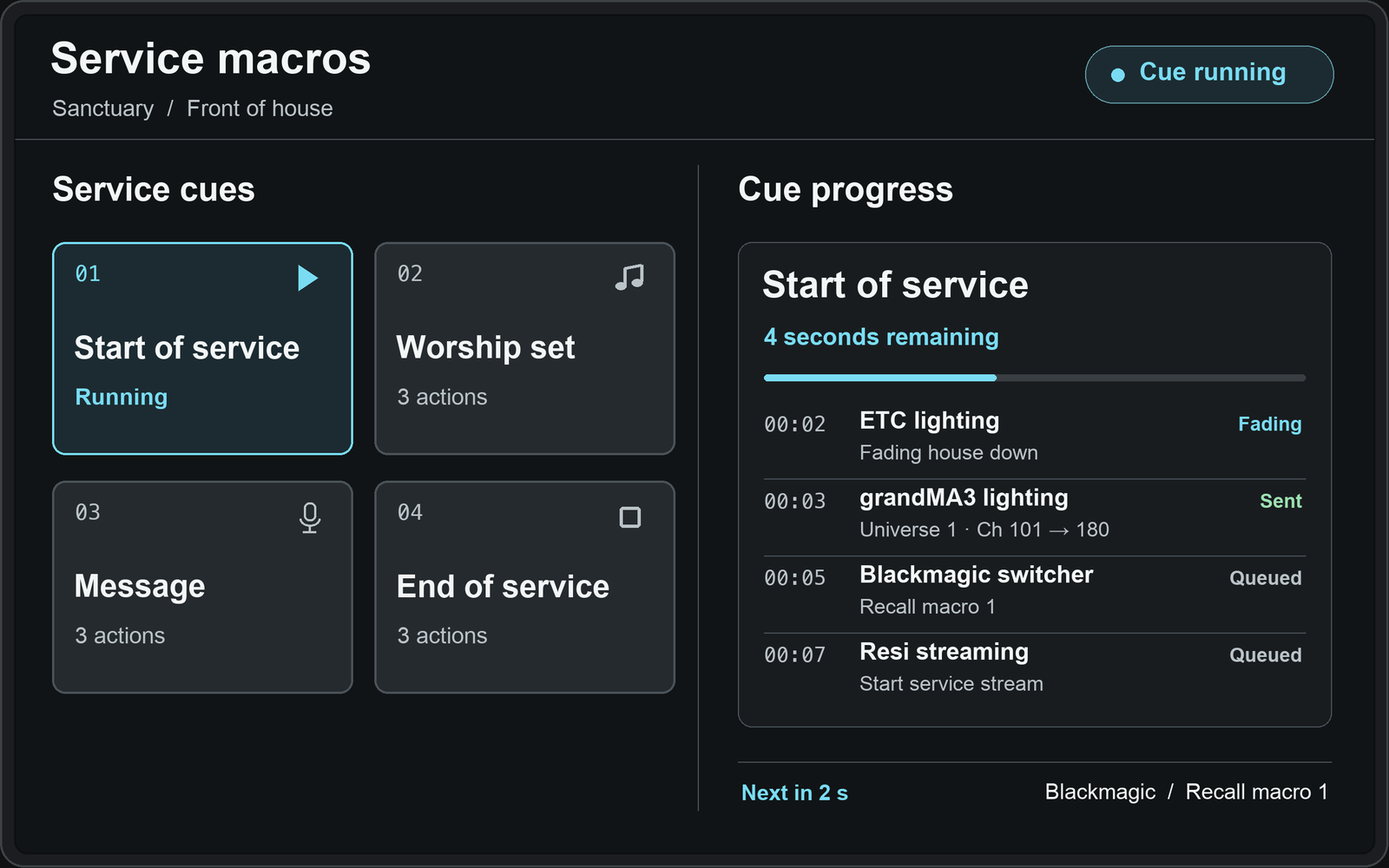
The sample sends level 180 on universe 1, channel 101. The MA show file determines what it triggers.
The house lights wait 2 seconds, then fade over 3 seconds. Shorten the fade for a faster change.
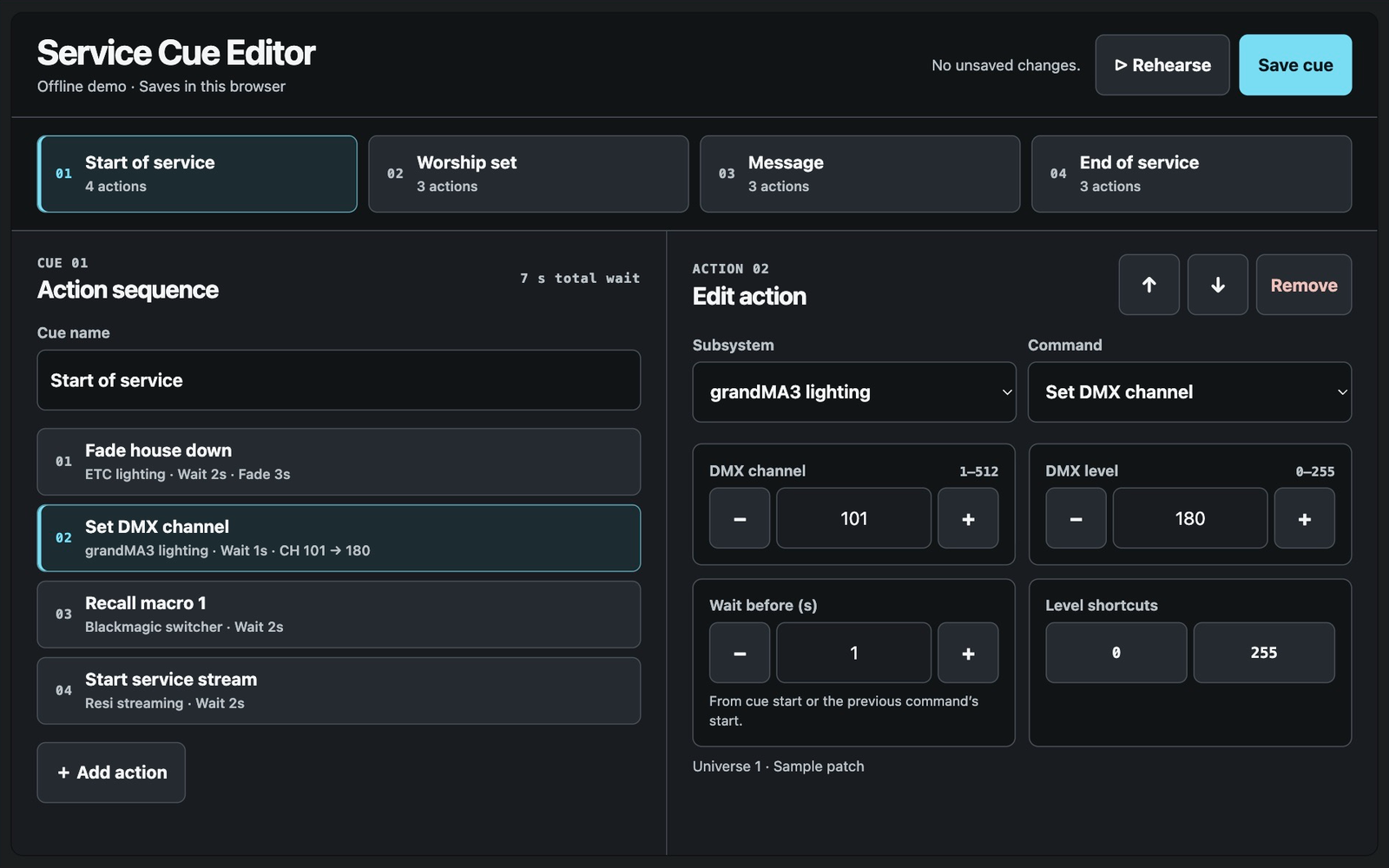
 Edit the DMX step
Edit the house fade
Interactive demo
Try the same task in two fictional touchpanel layouts. The redesign names each input and shows what’s on the display.
Presenting from Table HDMI · Audio on
I connect AV equipment to business software. When the interface is documented, I can build and test the connection with one device first.
Before you commit to a build, I can document how the systems will connect, what IT needs to provide and how to test it.
Crestron SIMPL and C# room programs, device drivers, Q-SYS audio routing and touchpanel design.
One editable processor program, one panel and one proposed change. Get a bid memo within two business days of payment and receipt of the agreed files.
Read a sample bid memo (PDF)Crestron HTML5
I redesign up to three screens at one resolution using the existing functions and joins. The price includes one round of revisions and handoff to your team for installation and on-site acceptance.
Send the panel model, screen count and a screenshot.
A photo of the panel or a few lines about how the room works today is a good place to start.